


What is HTML
HTML is an acronym which stands for Hyper Text Markup Language which is used for creating web pages and web applications. Let's see what is meant by Hypertext Markup Language, and Web page.
Hyper Text: HyperText simply means "Text within Text." A text has a link within it, is a hypertext. Whenever you click on a link which brings you to a new webpage, you have clicked on a hypertext. HyperText is a way to link two or more web pages (HTML documents) with each other.
Markup language: A markup language is a computer language that is used to apply layout and formatting conventions to a text document. Markup language makes text more interactive and dynamic. It can turn text into images, tables, links, etc.
Web Page: A web page is a document which is commonly written in HTML and translated by a web browser. A web page can be identified by entering an URL. A Web page can be of the static or dynamic type. With the help of HTML only, we can create static web pages.
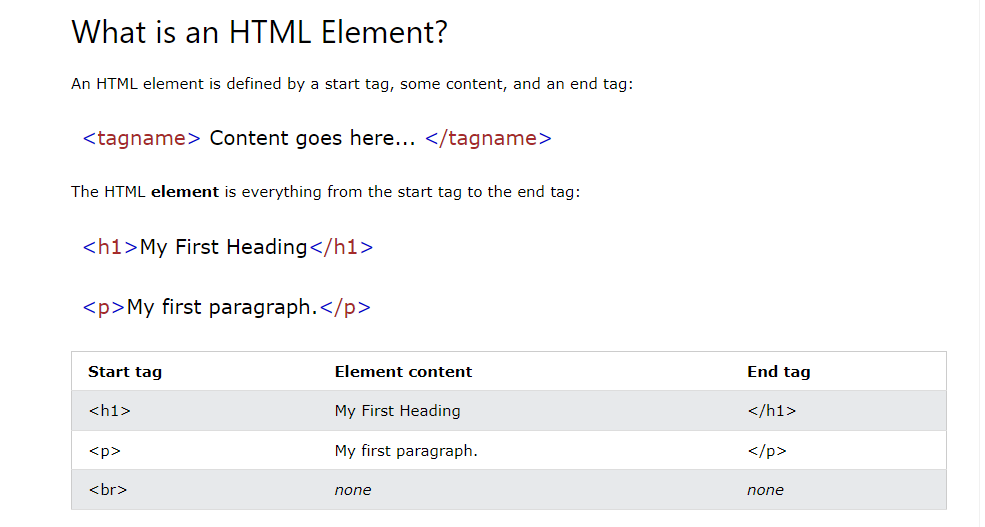
Hence, HTML is a markup language which is used for creating attractive web pages with the help of styling, and which looks in a nice format on a web browser. An HTML document is made of many HTML tags and each HTML tag contains different content.
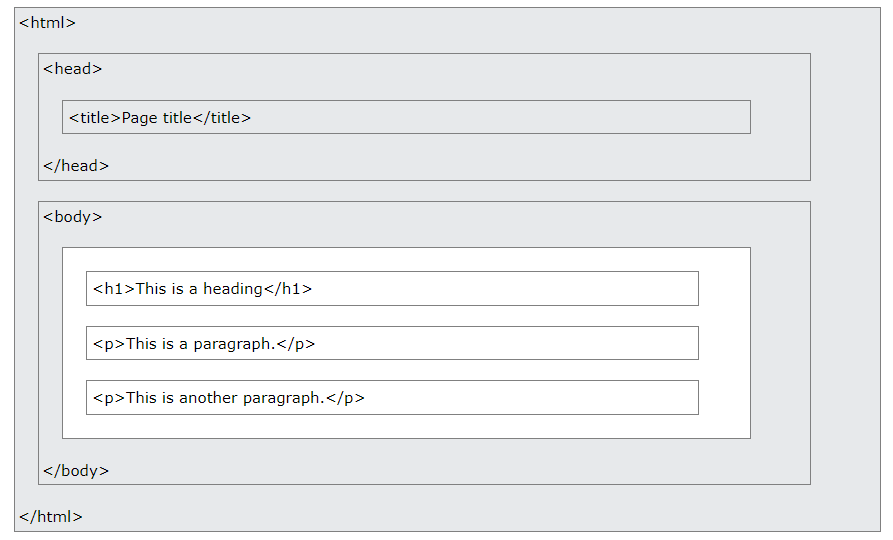
HTML Page Structure
HTML Attributes
1. All HTML elements can have attributes
2. Attributes provide additional information about elements
3. Attributes are always specified in the start tag
4. Attributes usually come in name/value pairs like: name="value"
HTML Display
You cannot be sure how HTML will be displayed.
Large or small screens, and resized windows will create different results.
With HTML, you cannot change the display by adding extra spaces or extra lines in your HTML code.
The browser will automatically remove any extra spaces and lines when the page is displayed:
HTML Styles
The HTML style attribute is used to add styles to an element, such as color, font, size, and more.
HTML Styles - CSS
CSS stands for Cascading Style Sheets.
CSS saves a lot of work. It can control the layout of multiple web pages all at once.
HTML Links
Links are found in nearly all web pages. Links allow users to click their way from page to page.
HTML Links - Hyperlinks
HTML links are hyperlinks.
You can click on a link and jump to another document.
When you move the mouse over a link, the mouse arrow will turn into a little hand.
Leave a Reply